Ami, meet browser! #3
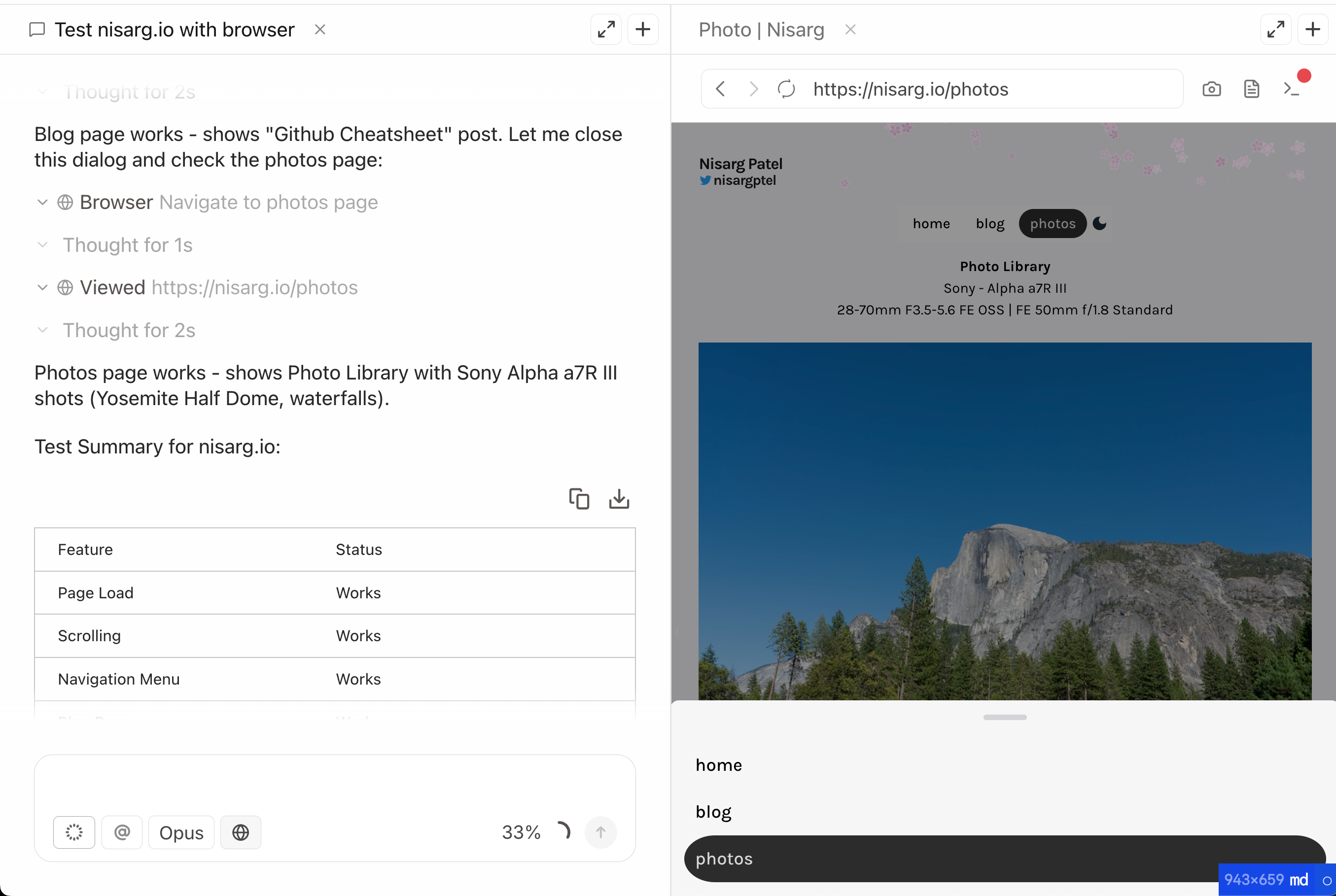
Ami can now see and control a browser. Build features on your codebase and test your localhost, autonomously.
Browser Mode
Ami now has a built-in browser that runs alongside your code. When you ask Ami to build a feature, it can spin up your dev server, navigate to localhost, and verify the changes actually work. No more back-and-forth describing what you see on screen.
What you can do
- Test as you build. Ami writes the code, checks the result in the browser, and fixes issues automatically.
- Debug visual issues. Share your localhost with Ami and ask "why is this button misaligned?" It takes a snapshot, inspects the DOM, and patches the CSS.
- Verify deployments. Point Ami at your staging URL and ask it to click through your checkout flow or verify an API integration.
- Scrape and research. Ami can navigate to documentation, extract information, and bring it back into your codebase.
Why Playwright?
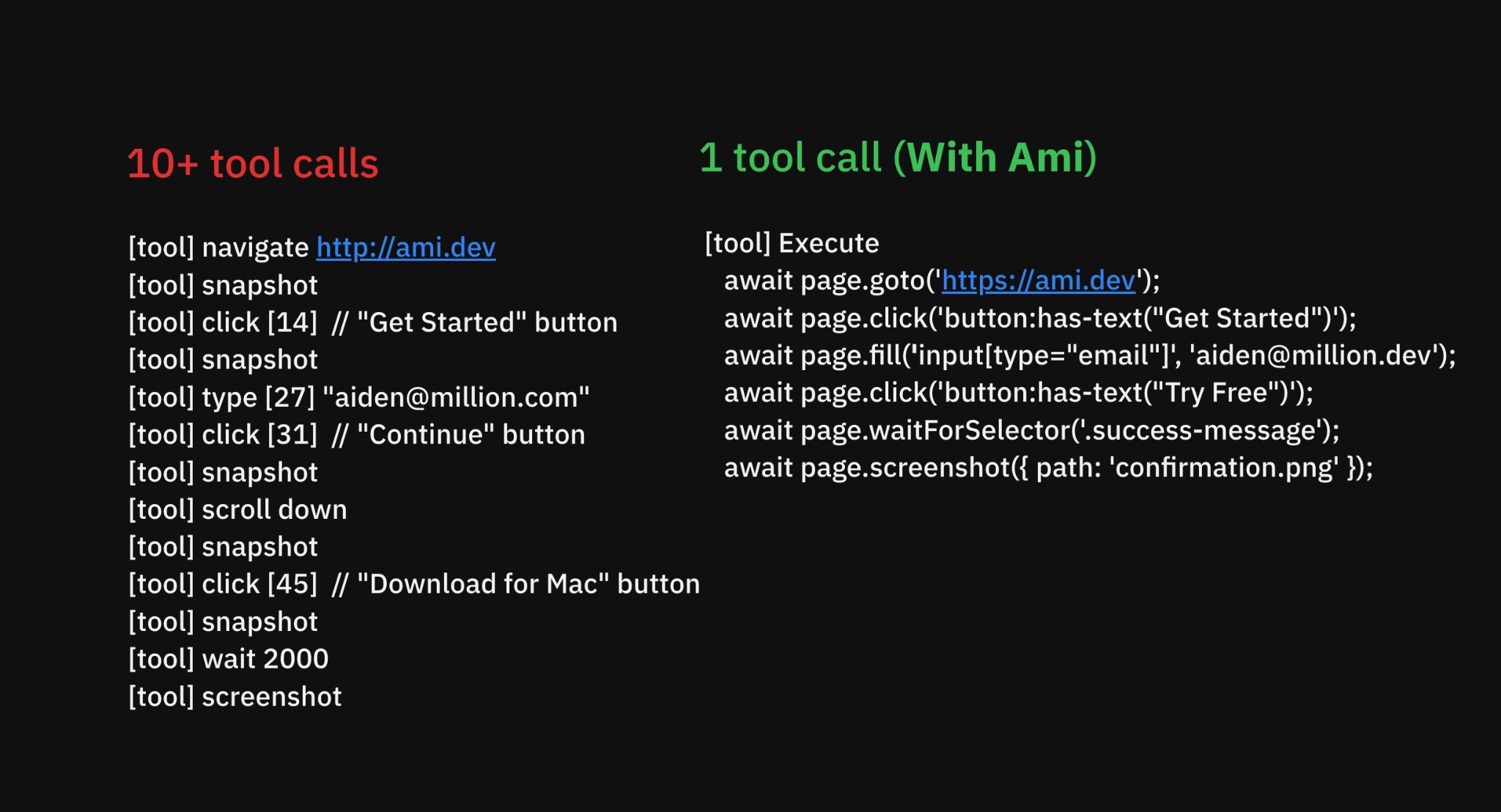
Instead of providing the agent 10+ tools for click, drag, navigate, etc., we let the agent directly write Playwright code. We've observed that this method generally improves speed and avoids context bloat.
Session reuse
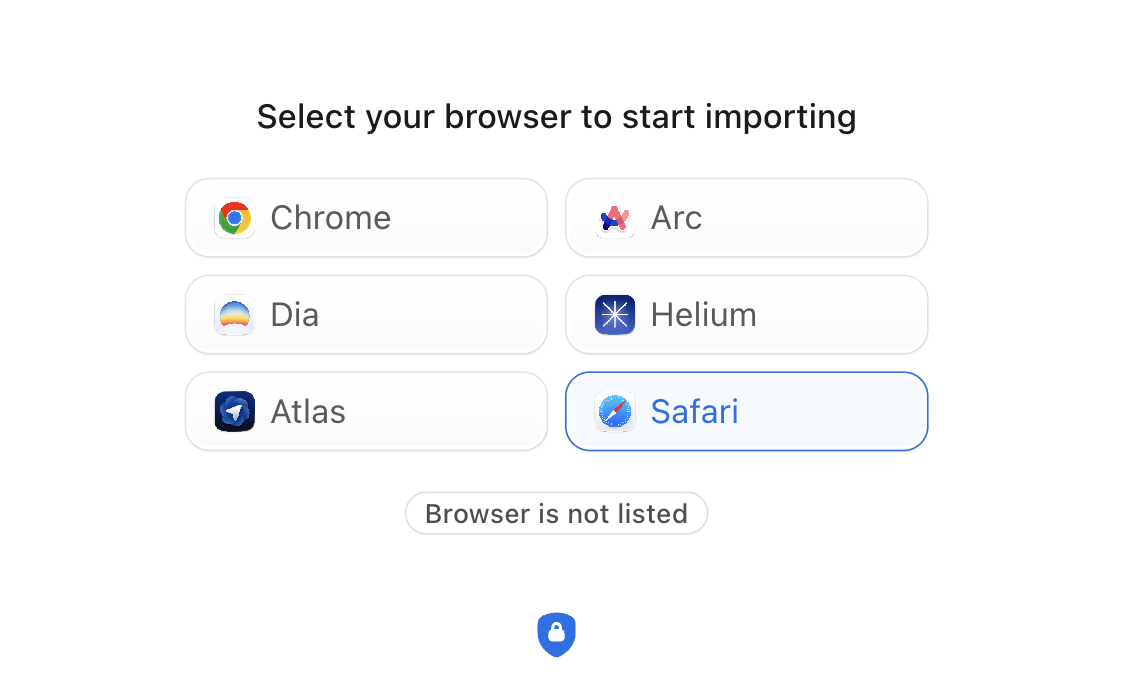
Ami Browser automatically reuses your browser's sessions, meaning you stay logged in on all your websites. Supports Chrome, Safari, Helium, Dia, Arc, Atlas, and more.
What's next
This is just the start. Soon, you'll be able to:
- Use debug mode with browser
- Run parallel browser tests
- Automatically have your code and app tested during review
- Make fast visual edits to the UI
Download Ami - 1M tokens free.
Web Search
Ami can now search the web to find documentation, examples, and answers. When you ask a question that needs up-to-date information, Ami will search, read the results, and synthesize an answer grounded in real sources.
Usage Dashboard
Track your token usage with the new Usage page. See a breakdown by model, conversation, and time period.
Other Features
- Model search with keyboard navigation
- Persist model selection per chat
- Slash commands: /new, /clear
- Copy chat from sidebar context menu
- Upload image from context dropdown
- Finder drag & drop for files and directories
- @Browser and @Branch context mentions
- Plan mode now allows WebFetch and git clone
- SwitchMode tool to switch between plan/agent modes
- Animated Ami Bunny loading screen
- Smart download button with OS detection
UI/UX Improvements
- Chat message performance improvements
- Chat preview hover card with scroll-to-message
- Folder preview panel positioning
- Cancel button for git/bash commands
- Ctrl+C to cancel and refocus textarea
- Slash command descriptions in autocomplete
- Navigation tooltips and project switcher in title bar
- Better code block contrast
- Queued messages default to expanded
- Chat list sorted by recency
Fixes
- Autoscroll stability in explore blocks
- Terminal crash fixes
- Mention cursor positioning after punctuation
- Browser view resize and zoom alignment
- Persist edited text on blur
- Jaggedy scroll on initial chat load
- Paste formatting for code and images
- Light mode support for terminal panel